TRACKS
Four kinds of track. One piece.
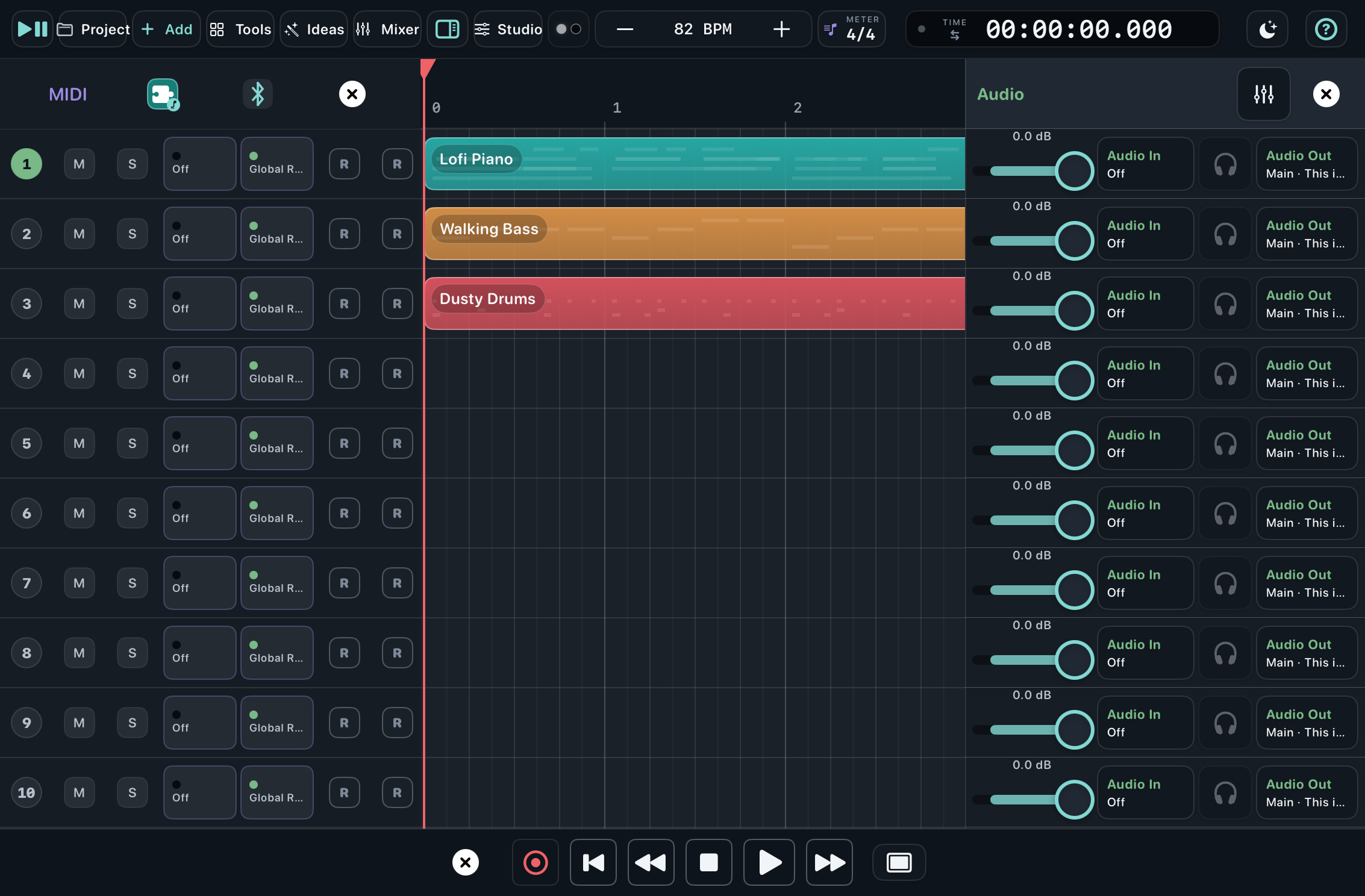
Combine Instrument, Drum, Audio and External MIDI tracks in any order. Each track keeps its own sound, colour, name and musical purpose.
MUSIC, SHAPED BY TOUCH
Sorbus is a touch-first music workspace for iPad. Arrange MIDI and audio, shape your own sounds, and connect the instruments around you without losing sight of the piece.
Free to download · All sixteen tracks included · iPadOS 18+
All sixteen tracks are open. Make the piece first.
One small purchaseNo subscriptionReminders disappearINSIDE SORBUS
Tracks, mixer channels, instruments, effects and routing all describe the same music. Change the view and the idea stays put.
TRACKS
Combine Instrument, Drum, Audio and External MIDI tracks in any order. Each track keeps its own sound, colour, name and musical purpose.
MIX
See all sixteen channels together, or open the compact channel panel beside the arrangement. Levels, effects and selection stay with the same track everywhere.
ROUTE
Send one External MIDI track to several devices or to Sorbus instruments and drums. Choose audio inputs, USB output pairs and independent MIDI sync without leaving the musical context.
CREATE
Write exact notes in Piano Grid, place voiced chords, build expressive rhythms in Groove Loom, record audio, and duplicate whole groups of blocks as independent copies.
THE SORBUS SOUND LAB
Sorbus includes instruments and effects made for curiosity: start with something useful, then push it somewhere unexpected.
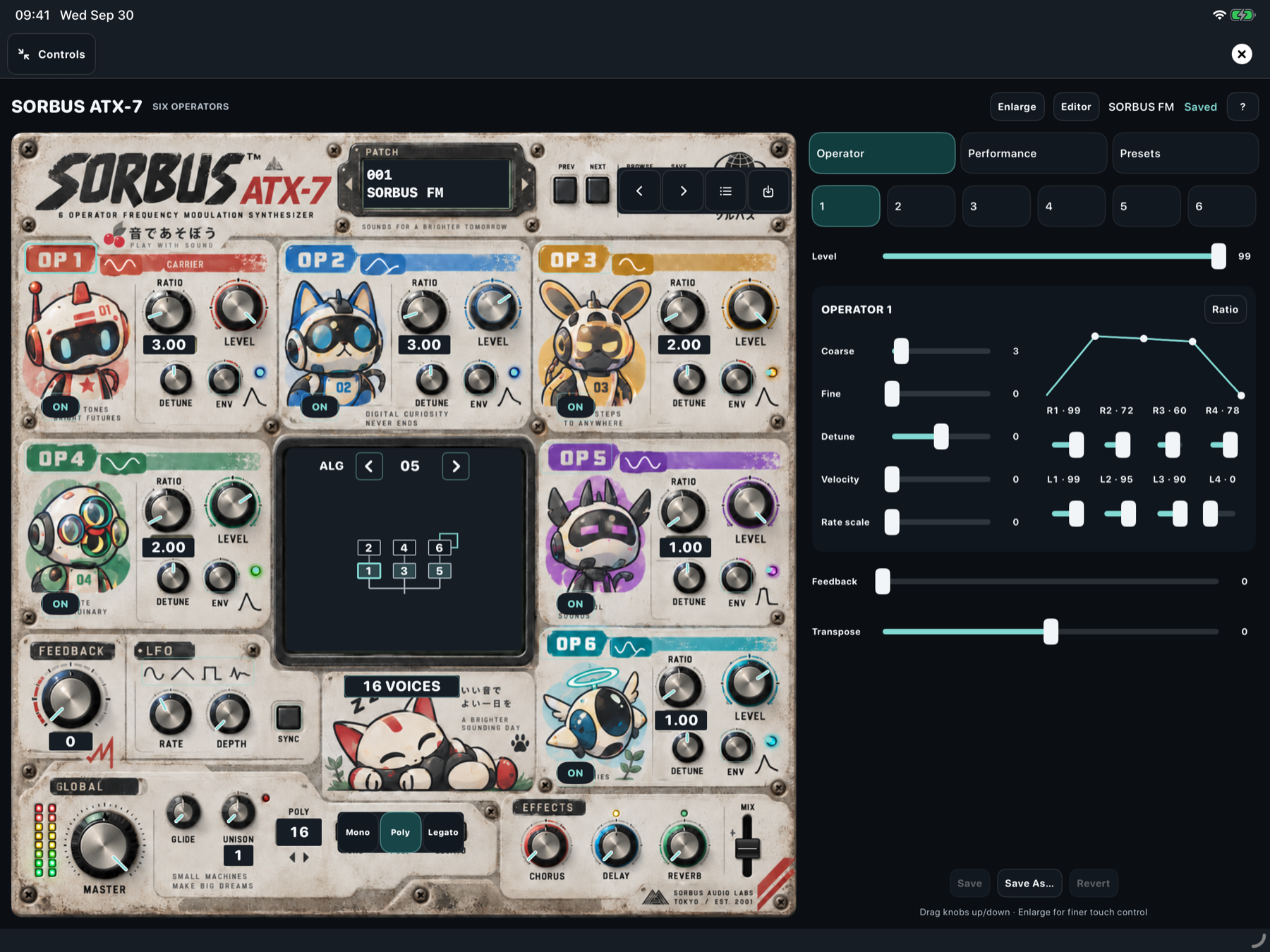
SORBUS ATX-7
Build bright bells, shifting pads, basses and stranger machines through a playful instrument panel, then refine the operators, envelopes and performance controls in detail.
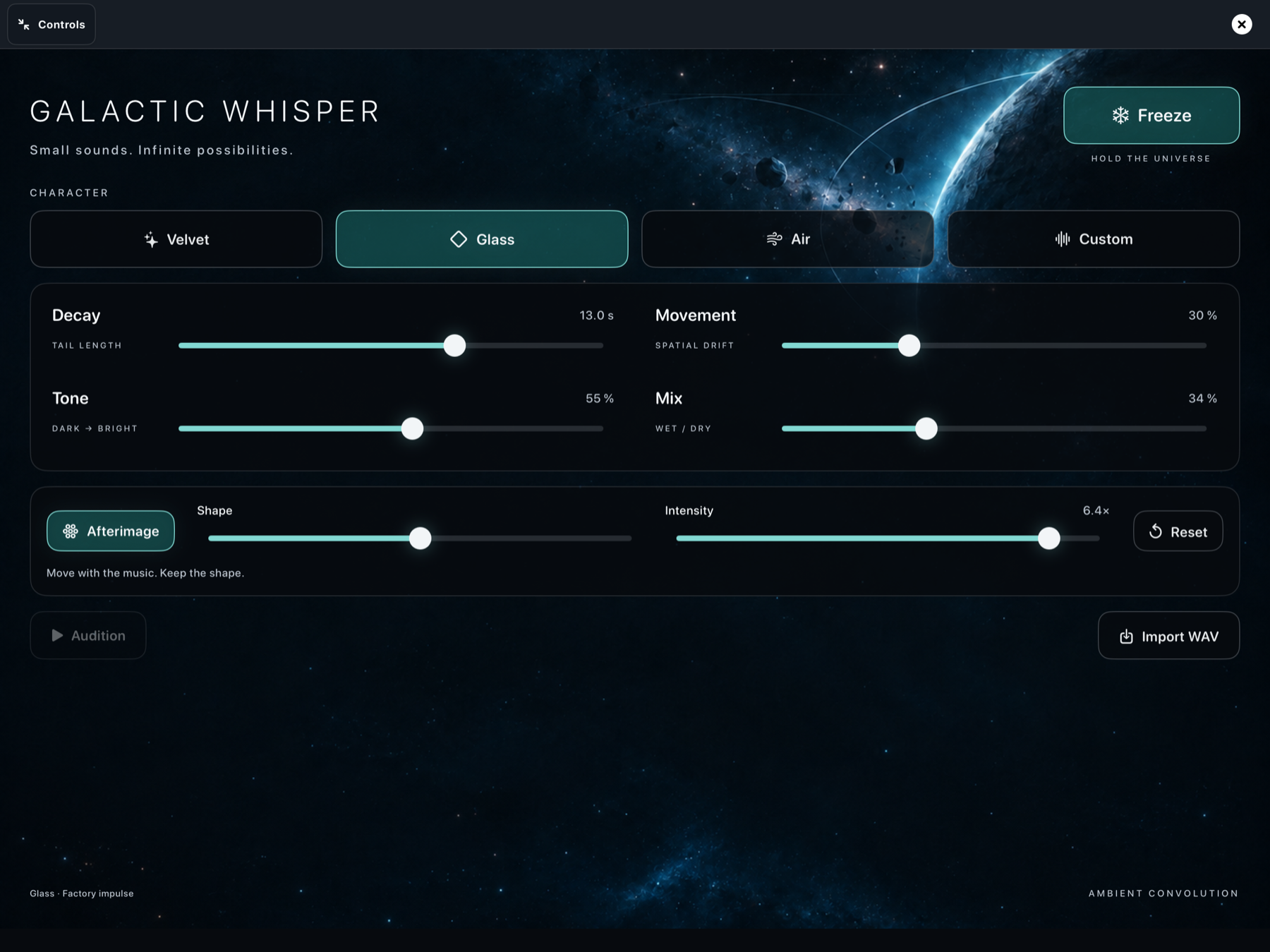
GALACTIC WHISPER
Shape spacious convolution textures with Velvet, Glass and Air, import a WAV as your own impulse, or use Afterimage to move the feedback into a new shape and leave it there.
DETAIL WHEN YOU WANT IT
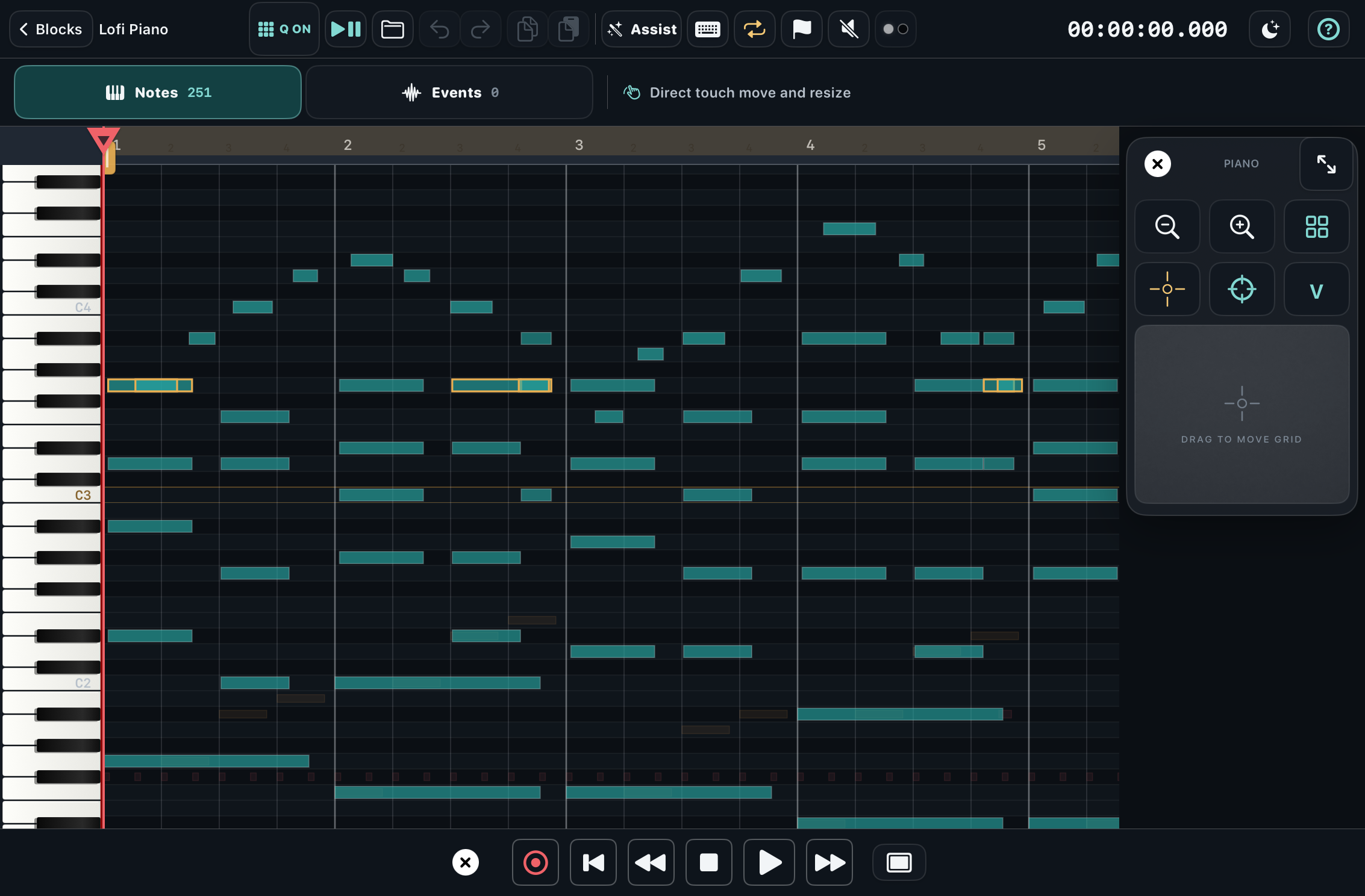
Open any MIDI block in Piano Grid for precise pitch, timing, length and velocity. Instrument editors and full-screen Audio Units can stay open while the arrangement plays.
BUILT INDEPENDENTLY
Sorbus is for musicians who hear possibilities wherever they are and want to capture ideas quickly and in a useful way. Built independently with a musician’s curiosity at heart, Sorbus grows through experimentation.
PLAY FIRST
All sixteen tracks and every current feature are ready to use. A single Full App purchase removes occasional reminders and supports independent development. There is no subscription.
Get Sorbus on the App StoreHERE WHEN YOU NEED US